

We have some great news today—a feature requested by several of our clients!
You can now add images and videos to your survey questions.
This feature is perfect for when you want to show something to your respondents—whether you’re asking for their opinion or having them choose between different options. For example, you can display app screens, user flows, or physical products.
When setting up your questions, simply choose between a “conversation-only” format or a “conversation with media” format:
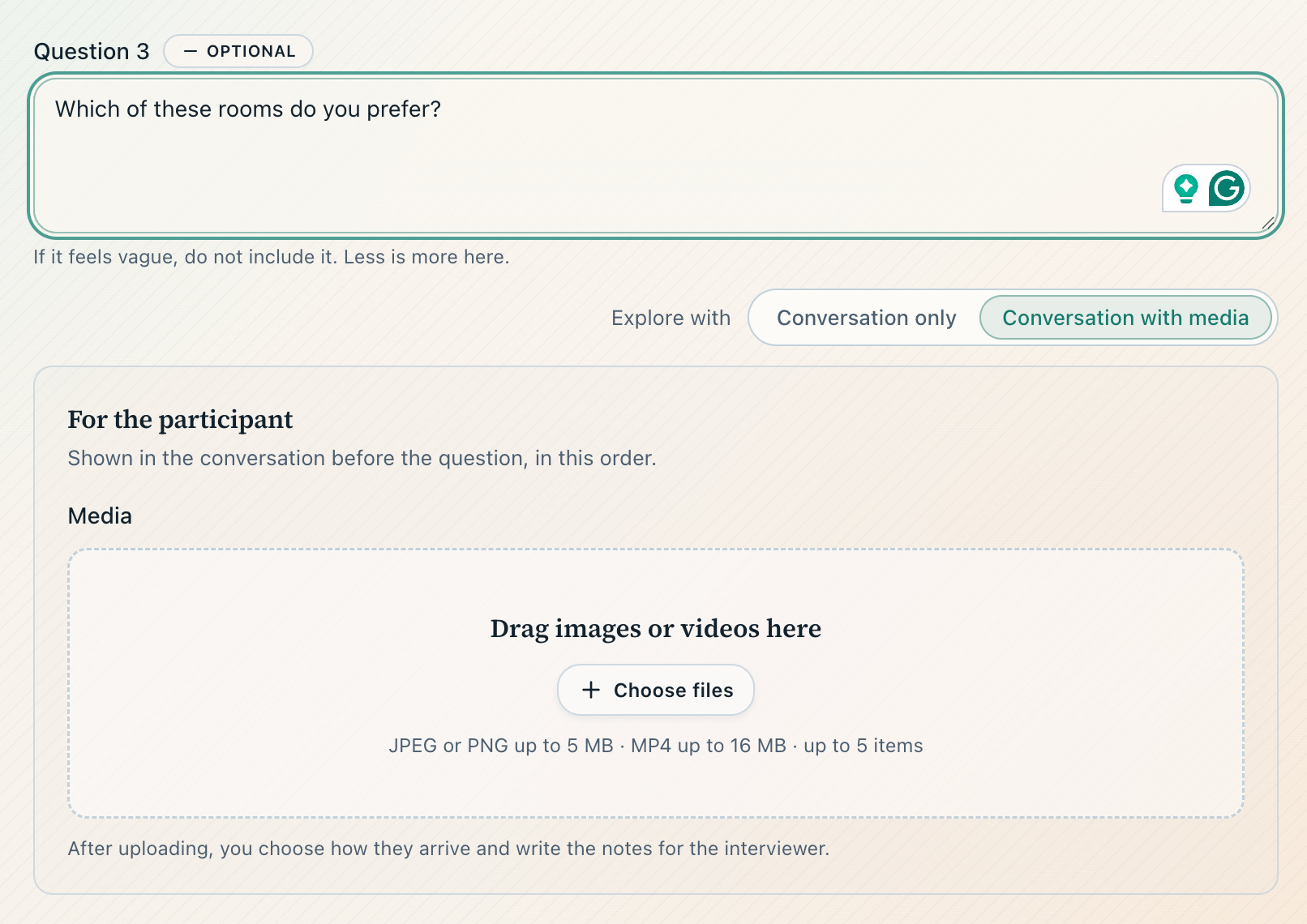
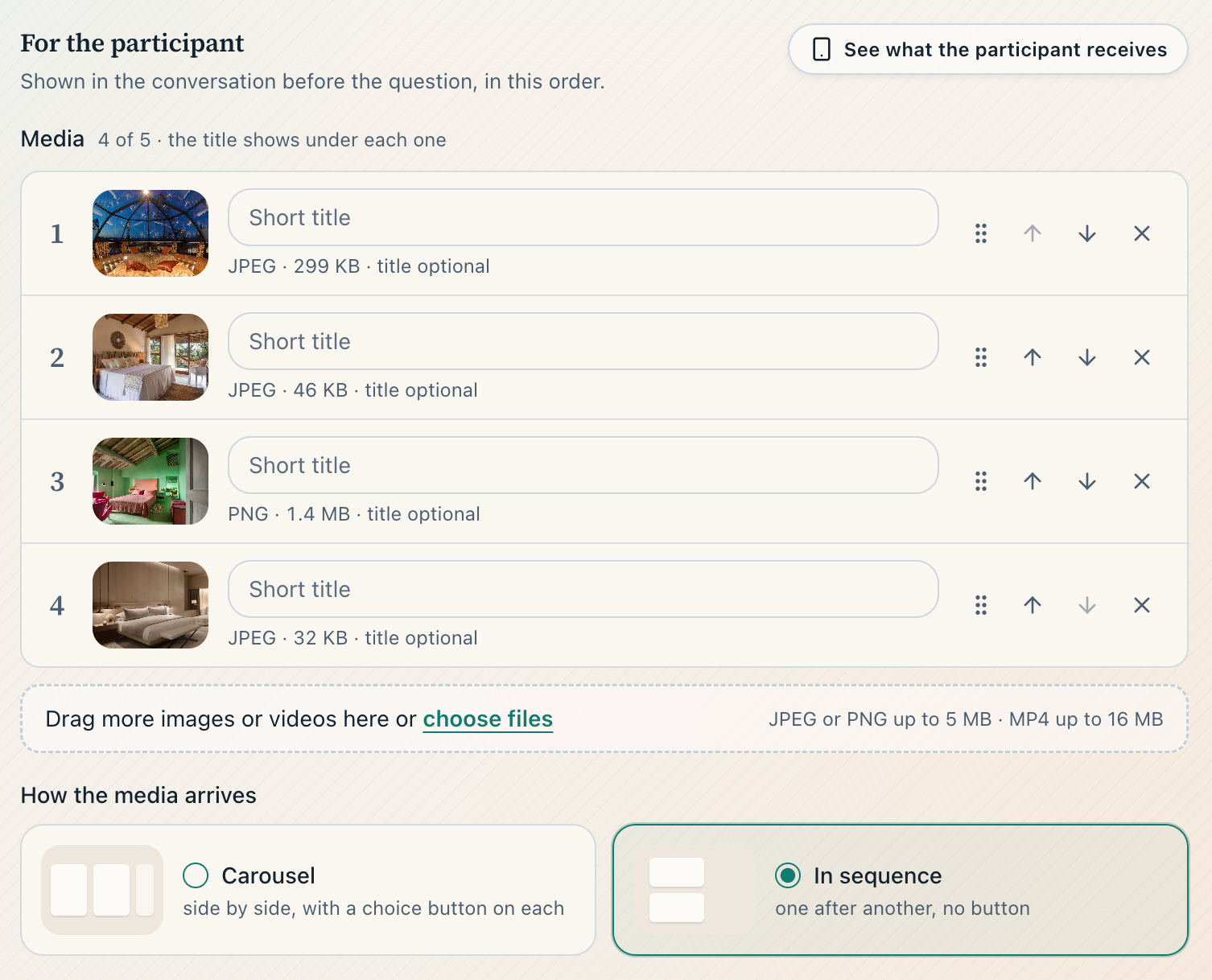
Next, you upload your media and define how the question should function. In “Carousel” mode, the respondent selects one of the options; in “Sequence” mode, the images are simply displayed.
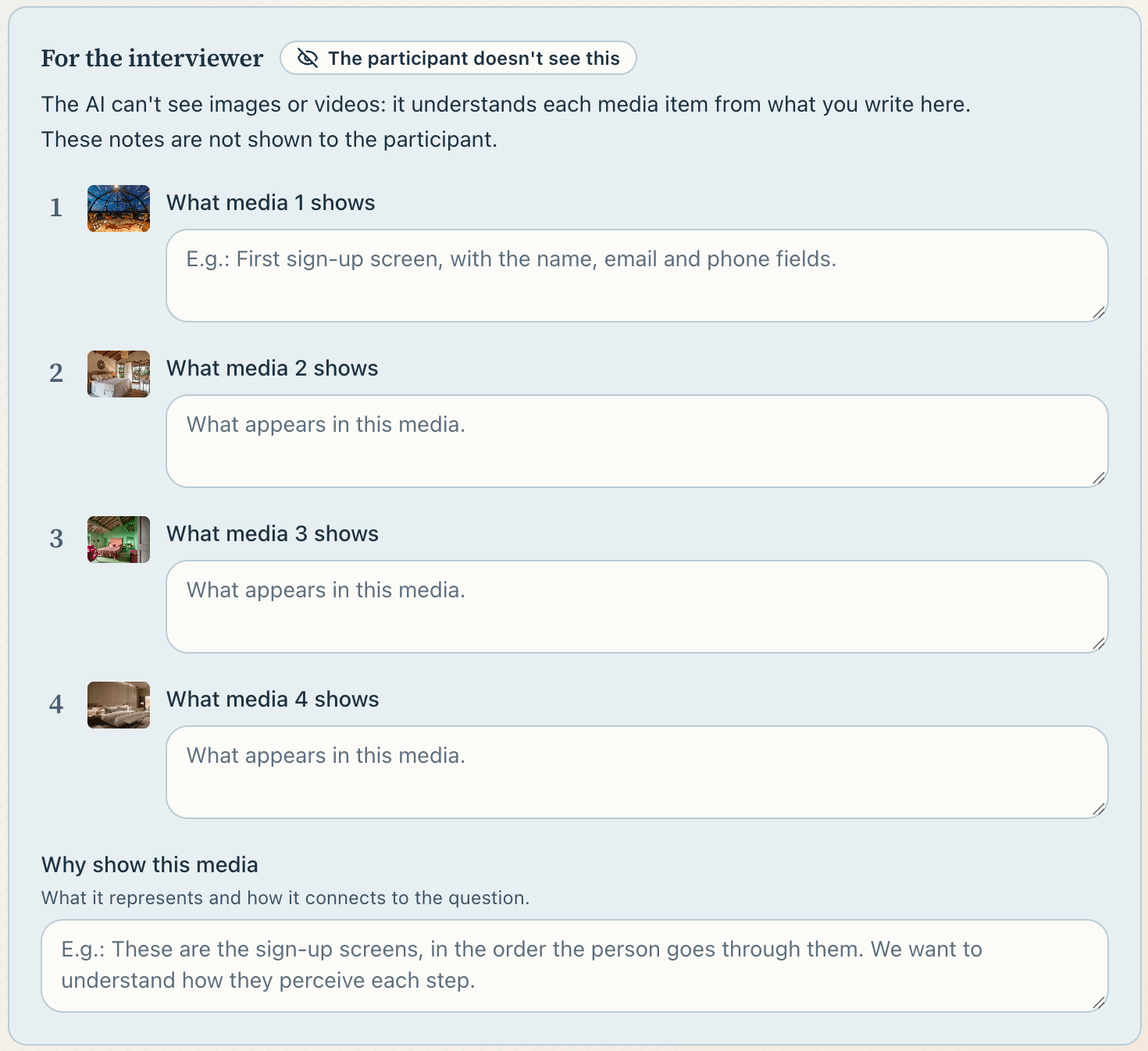
In the following step, you explain to our AI agent what the images are and why you want to show them to your respondents.
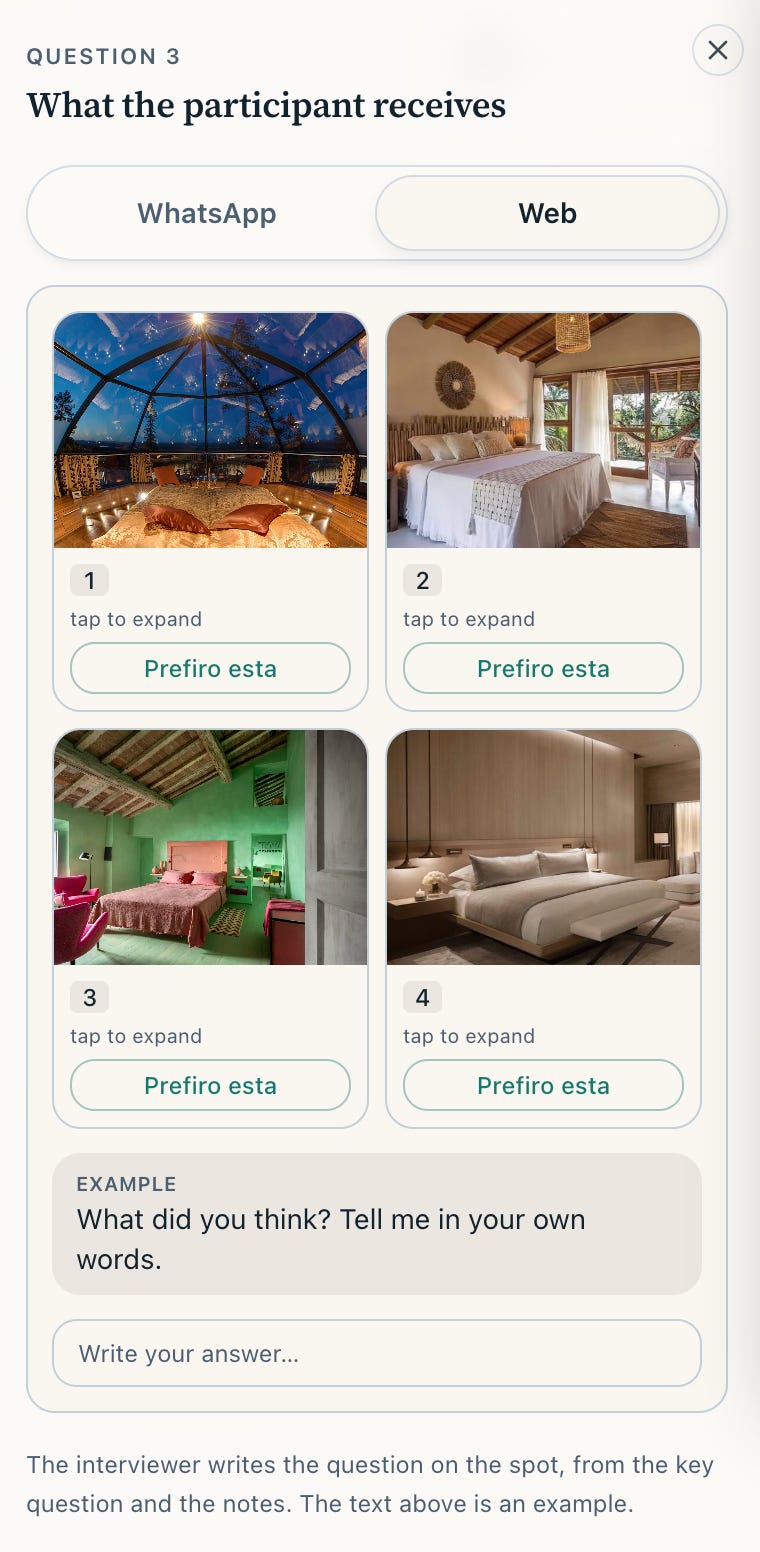
And this is how the question appears to your respondents:
To experience what it’s like to take a survey that includes images, we’ve created a short survey about the common challenges faced when measuring NPS. At the end, it displays an image of a typical NPS result and asks a few questions about it.
If you’d like to discuss how to scale your company’s surveys—whether for NPS, CSAT, or more in-depth qualitative research—feel free to book a time on our calendar.